
How It Works
From address to package in three steps
SellCRE replaces hours of layout and copywriting with a fast, guided workflow. Enter a few details, let AI draft your OM, BOV, or Lease brochure plus a matching email and a 30-second reel, and walk away with a complete, editable marketing package.
Step 1
Enter a few details
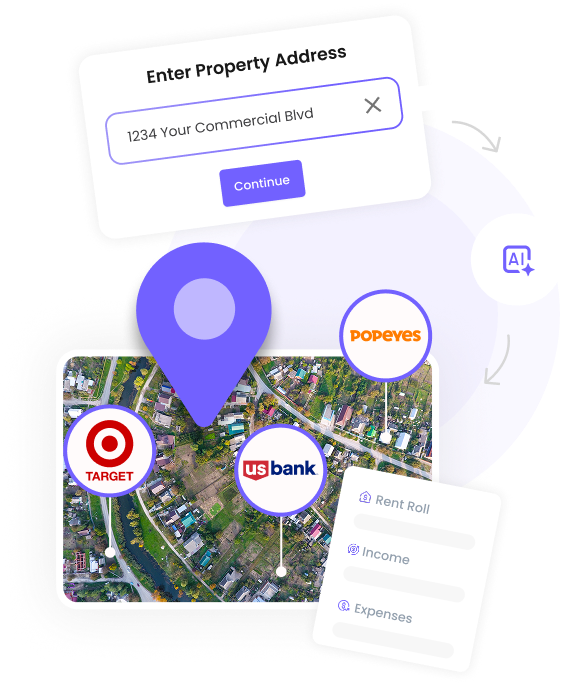
Start with a property address. SellCRE looks up official property data and public records so you do not have to retype square footage, parcel numbers, or building facts.
Pick the package you want — Offering Memorandum, Broker Opinion of Value, or Lease Listing — and add the handful of details only you know: asking price for a sale, pricing strategy for a BOV, available suites for a lease. No long forms, no spreadsheet imports.
Step 2
AI generates your content
SellCRE drafts the whole marketing package at once: a complete brochure (OM, BOV, or Lease), a neighborhood attraction map, a matching email, and a 30-second vertical reel — all laid out and on-brand.
The AI writes compelling property highlights and descriptions tuned for commercial real estate. It does the heavy lifting; you stay the editor-in-chief reviewing every line before anything goes out.
Step 3
Download in minutes, fully editable
Get your finished package as a print-ready PDF, a Google Slides deck, a native PowerPoint file, and an MP4 reel. Apply your logo and brand colors so it looks unmistakably like your brokerage.
Nothing is locked. Rework a layout, swap in your own photography, or tailor a slide for a specific buyer or tenant — then send a polished package that looks like the top broker in the room produced it.
Try it on your next listing
Enter a property address and see SellCRE build a complete, editable marketing package — brochure, email, and reel — in minutes.
Try free →